

Load and utilisation reports built from the plan
Commander reports are fed by the same plan your teams use and by the hours they log from their phones. Nothing to prepare at month-end: the numbers are already there.

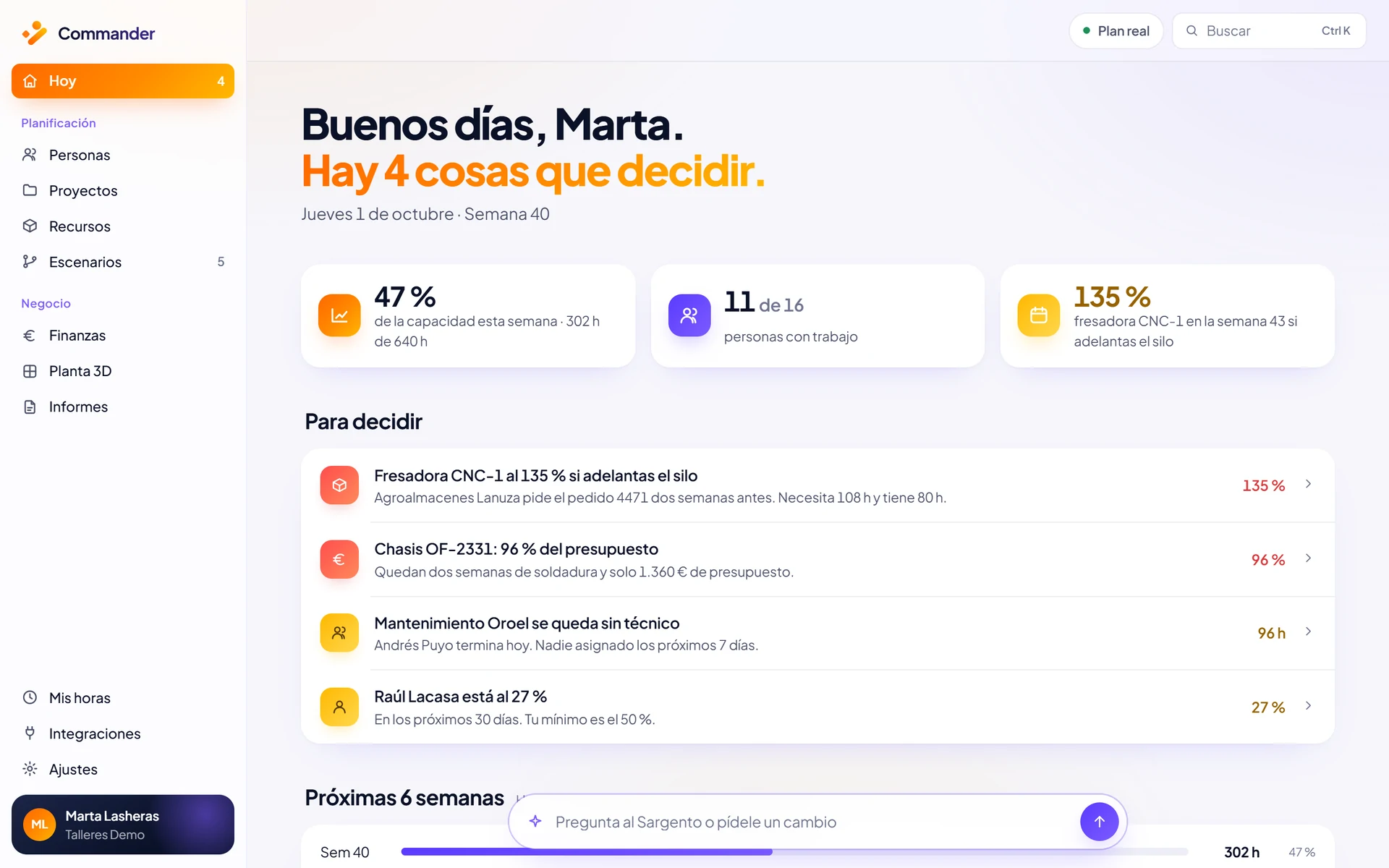
Your whole company, at a glance.
Utilisation, risks, capacity, demand and alerts on a single screen. Red is not an opinion: it is arithmetic, planned hours divided by capacity.
It is the starting point for any report: you see where the problem is before you dig into the detail.
Screenshots use demo data.
What Commander reports tell you.
Load
Planned hours against capacity for every person and every machine, week by week.
Utilisation
Who has room, who is at the limit and who is overbooked over the coming weeks.
Actual hours
Logged against planned, while the project is still open.
Finance
Cost, margin and payments for every project, on the plans that include Finance.

The workload for the next six weeks.
In the utilisation map, each column is one person or one machine in one week. You spot the overload in week 43 today, not on the Monday of week 43.
If a critical machine is going to exceed its capacity, you know in time to move work, reassign it or simulate alternatives without touching the live plan.

Actual hours against the plan.
Everyone sees their week on their phone and logs their hours with a single tap. No more typing up timesheets.
Actual hours flow straight into the Command Centre and the plan is compared with what really happened. More in My hours, part of resource planning.
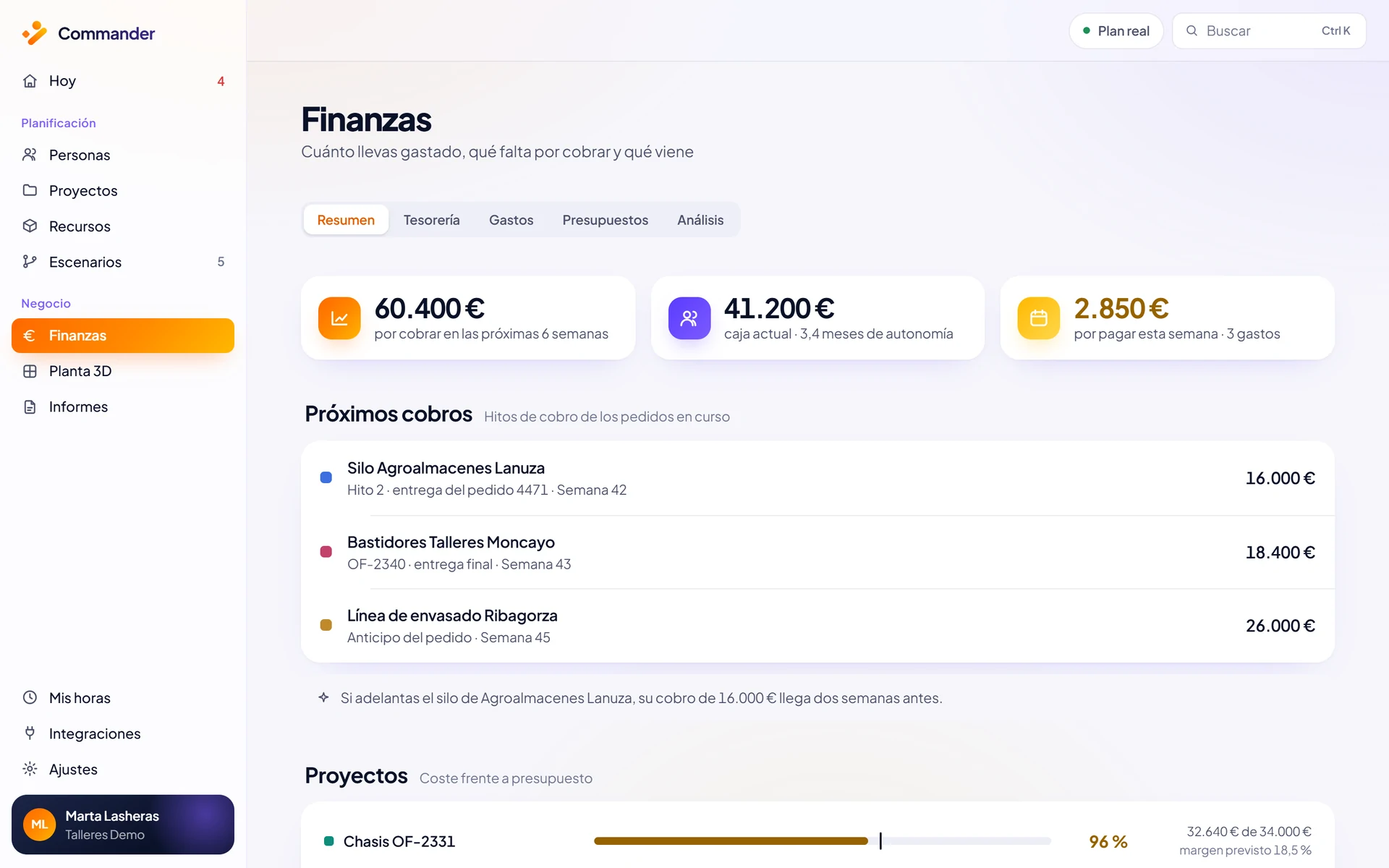
Finance reports linked to the plan.
With the Finance module, reports add the numbers: the cost and margin of every project against its budget and the payments forecast for the coming weeks.
If an order moves forward, so does its payment, and the report reflects it. See costs and profitability per project.
Screenshots use demo data.
Reports in Commander plans.
Essential includes standard load and utilisation reports. Professional adds finance reports. Business adds AI-built custom reports. On Enterprise, reports are tailored.
See pricing and plansEssential
Standard load and utilisation reports.
Professional
Standard and finance reports.
Business
Standard, finance and AI-built custom reports.
Enterprise
Reports tailored to your operation.
Where the numbers come from.
Plan resources
People, machines and projects with their real capacity.
Costs and profitability
Margin per order, payments forecast and actual hours.
Ask the Sargento
It tells you whether you will make it and what each route costs.
Reports are part of Commander, theresource management platform that brings people, machines, projects and money together.
What if you could plan your resources with more clarity?
In 30 minutes we look at your case and show you how Commander fits your company.
Or email us at info@commandr.es