

Optimise how you allocate your resources
Commander spots who is available, who is overloaded and who can take on each job based on their certifications, specialism and area. And if you won’t make it, it brings you alternatives with their cost and impact.

What Commander checks before allocating a job.
Resource allocation and optimisation starts with your company’s real data, as of today.
Availability
The workload and availability of every person and every machine, week by week: who has room and who doesn’t.
Overload
Planned hours divided by capacity. If the CNC-1 milling machine needs 108 h and only has 80 h, it is at 135% and you see it in red.
The right resource
Allocation based on certifications, specialism, area and real availability. It only suggests people who are certified for each task.
The risks
If someone has never done a task, or a client needs to hear about a change, it tells you before you confirm.
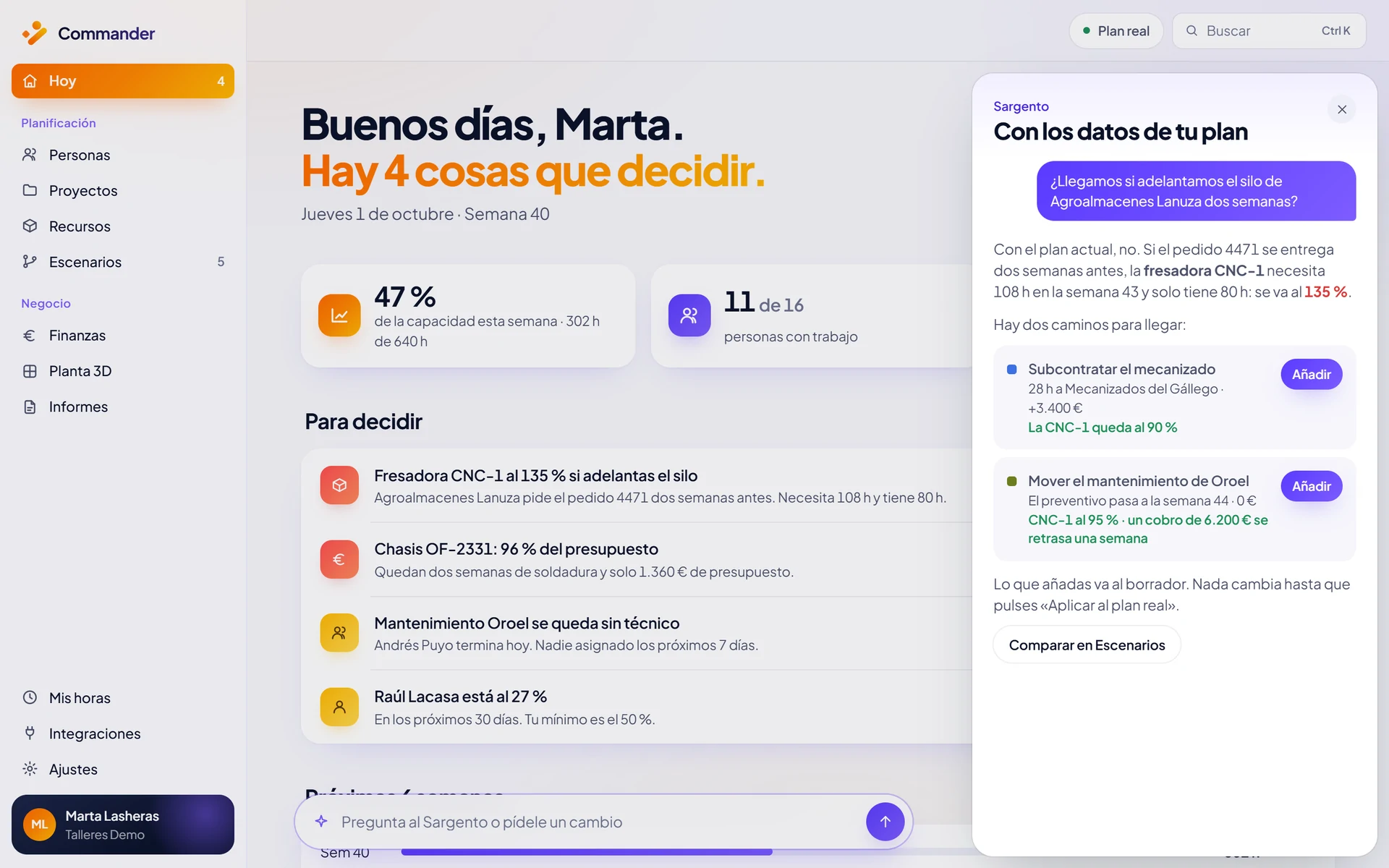
If you won’t make it: subcontract, move or reassign.
When a resource has no more room, Sargento AI doesn’t stop at “no”. It prepares alternatives and compares them in numbers: subcontract a phase, move a maintenance job or reassign the work to another certified person with free time.
In the example, subcontracting the machining costs €3,400 extra and brings the peak load to 90%. Moving a maintenance job costs €0, leaves a peak load of 95% and pushes a €6,200 payment back by a week. You can compare those alternatives in a scenario before you decide.
Screenshots use demo data.
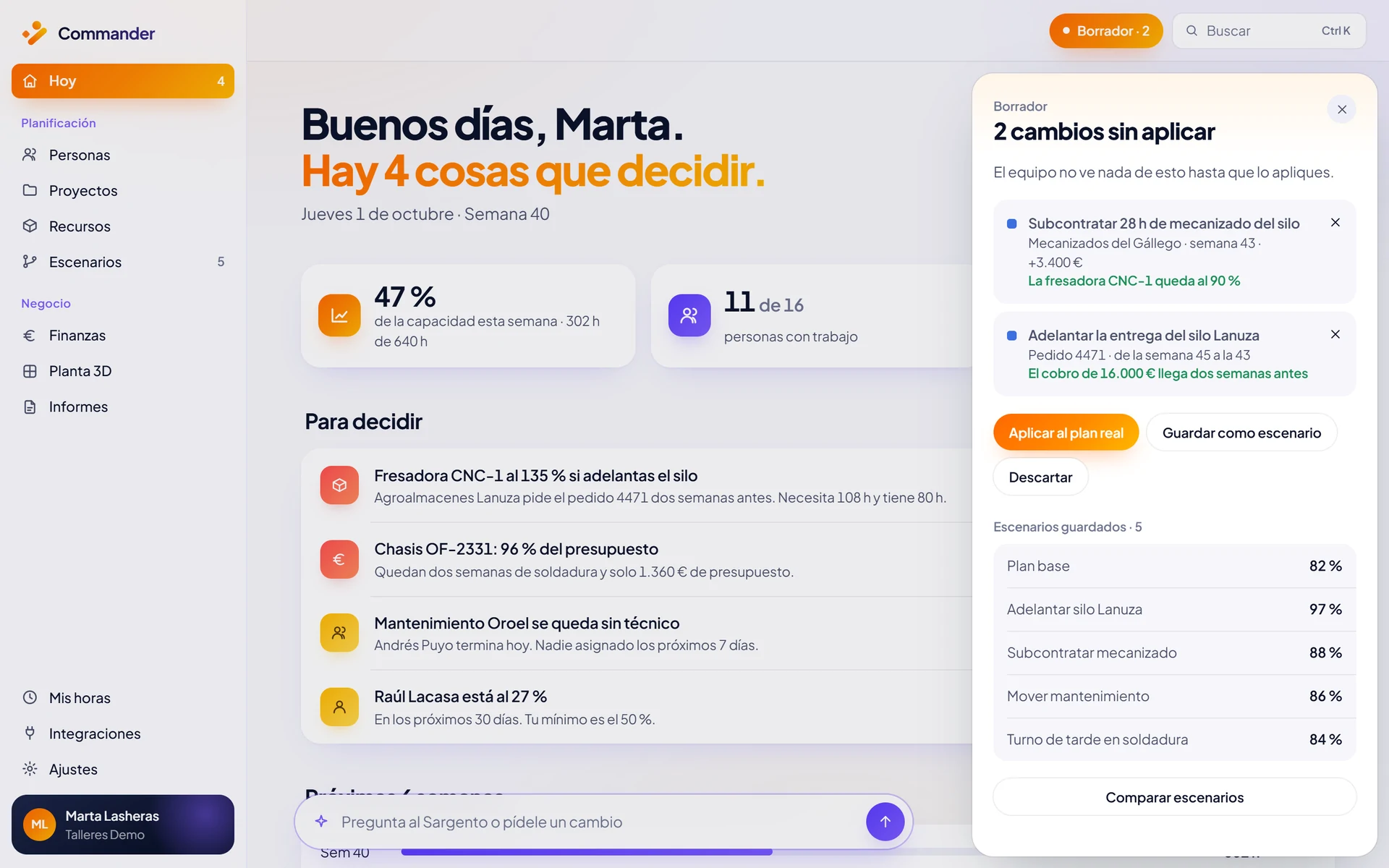
Every recommendation, with its cost and impact.
Every proposal arrives as a prepared change, showing its effect on workload, cost and incoming payments. You can review it, accept it or discard it: nothing is applied until you press Confirm.
Every answer states which data it comes from and when that data was read. Once you confirm, the whole plan is recalculated and the decision is logged: who, when and why. You can also see how each change affects costs and payments.
Resource allocation in every sector.
Metal and automotive
Knowing who can do TIG welding or work at height no longer means asking three people: allocation follows certification.
Metal and automotiveMaintenance
Technicians by specialism and area. When a corrective job comes in, Sargento suggests where to move each preventive job and which client to tell.
MaintenanceEngineering
Workload by profile: who is available by specialism and week, so the same three engineers don’t end up on every critical project.
EngineeringConsulting
Data-driven staffing: Sargento suggests the best available profile for each project, instead of deciding on gut feeling.
Consulting
Proactive recommendations on Business and Enterprise.
Sargento AI is included in every plan, with usage limits by plan: on any of them you can ask who can take on a job or whether you will hit a date. On Business and Enterprise you get the full Sargento, which also makes proactive recommendations and generates alternatives with AI. Finance comes from the Professional plan up.
Compare Commander plansKeep optimising.
Resource planner
Capacity, availability and a six-week utilisation map.
Resource simulation
Test an alternative without touching the live plan.
Sargento AI
Ask by voice or text and confirm what it proposes.
Allocation is one part of Commander’sresource management software: the same plan connects people, machines, projects and money.
What if you could plan your resources with more clarity?
In 30 minutes we look at your case and show you how Commander fits your company.
Or email us at info@commandr.es